
TL;DR:
- Proper thermostat settings, timely filter replacements, and regular professional tune-ups can significantly extend your air conditioner’s lifespan and efficiency. Maintaining clear outdoor units, cleaning coils, and managing humidity are essential for optimal cooling performance and energy savings. Routine inspections and addressing warning signs early help prevent costly repairs and ensure consistent home comfort throughout summer.
Your air conditioning system is one of the hardest-working appliances in your home, yet most homeowners only think about it when something goes wrong. Following the right air conditioning tips for homeowners can cut your cooling costs by up to 15%, extend your system’s life by years, and keep every room in your home genuinely comfortable all summer long. This article covers everything from simple DIY maintenance steps to smarter thermostat strategies and upgrade decisions, backed by current energy guidance and real HVAC field experience.
Table of Contents
- Key takeaways
- 1. Understanding what actually drives air conditioner performance
- 2. Replace or clean air filters on schedule
- 3. Clear the area around your outdoor condenser unit
- 4. Clean condenser coils the right way
- 5. Flush the condensate drain line monthly
- 6. Use your thermostat settings strategically
- 7. Use ceiling fans to reduce AC workload
- 8. Manage indoor humidity alongside temperature
- 9. Know when to repair, maintain, or replace your system
- 10. Schedule a professional tune-up every spring
- 11. Recognize warning signs before they become failures
- My honest take on where most homeowners go wrong
- Keep your AC running at its best with Kcaircontrol
- FAQ
Key takeaways
| Point | Details |
|---|---|
| Set thermostat to 78°F | Keeping the thermostat at 78°F when home saves energy without sacrificing comfort. |
| Change filters every 30–90 days | Regular filter replacements protect airflow and maintain system efficiency. |
| Schedule annual professional tune-ups | A yearly checkup prevents breakdowns, improves efficiency, and extends equipment life. |
| Raise thermostat when away | Adjusting up by 7–10°F during absences can cut annual cooling costs by up to 10%. |
| Know when to repair or replace | Use the $5,000 rule to make smart decisions between fixing and upgrading your AC unit. |
1. Understanding what actually drives air conditioner performance
Before jumping into a checklist, you need to understand what makes an AC system work well or poorly. Most homeowners focus on temperature alone, but three other factors matter just as much: airflow, humidity, and maintenance consistency.
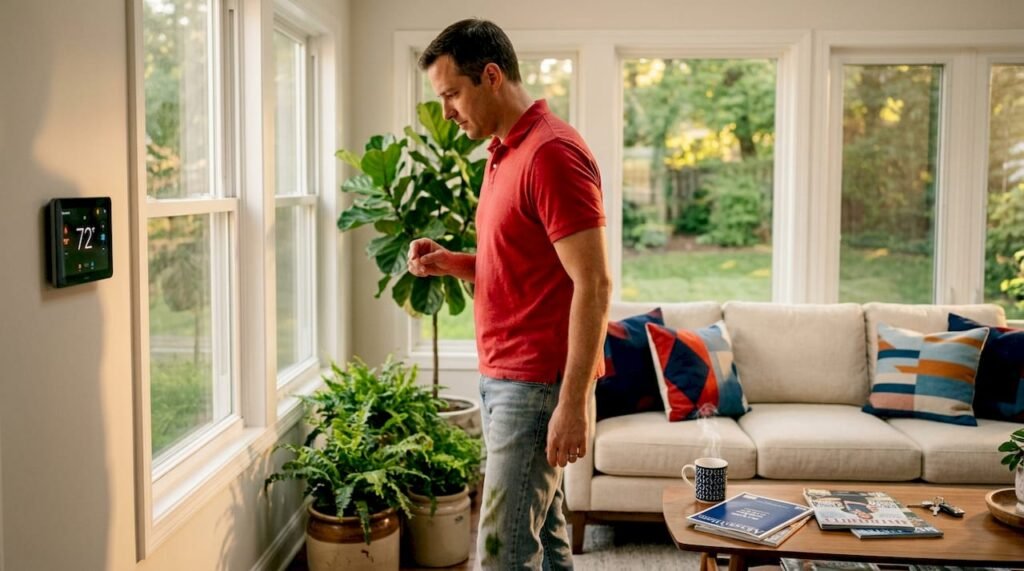
Your thermostat setting directly shapes both comfort and cost. Setting your thermostat to 78°F when you are home is the sweet spot recommended by the U.S. Department of Energy. Every degree you drop below 72°F adds roughly 3% to your cooling bill, and that adds up fast over a Kansas City summer.
Humidity also plays a huge role. Your AC acts as a dehumidifier as well as a cooler. Indoor humidity above 60% encourages mold, dust mites, and bacteria growth while making your home feel stuffy even when the temperature reads correctly. Keeping indoor humidity between 30% and 50% is the target.
One of the most persistent myths in home cooling: setting your thermostat much lower than your target temperature does NOT cool the space faster. ACs operate at a constant rate regardless of what temperature you dial in. Lower settings just mean longer runtimes, more wear, and a higher bill at the end of the month.
Pro Tip: Check that all supply and return vents in your home are open and unobstructed. Blocking vents with furniture or rugs creates pressure imbalances that strain your system and reduce efficiency.
2. Replace or clean air filters on schedule
This is the single most impactful task you can do yourself, and it costs almost nothing. A clogged filter restricts airflow, forces the blower motor to work harder, and reduces the system’s ability to cool and dehumidify effectively.
Replace your filter every 30 days if you have pets or allergy sufferers in the home. A household without pets or significant dust sources can go 60 to 90 days. For home air conditioner maintenance, keeping a small supply of the right filters on hand makes it much easier to stay consistent.
Use a filter with a MERV rating between 8 and 12 for most residential systems. Higher MERV ratings filter more particles, but ratings above 13 can actually restrict airflow in systems not designed for them. Match the filter to your system’s specs, not just what looks best on the shelf.
3. Clear the area around your outdoor condenser unit
Your outdoor condenser releases the heat your AC pulls from inside the house. When plants, mulch, or debris crowd that unit, heat transfer slows down, efficiency drops, and the compressor works under strain.
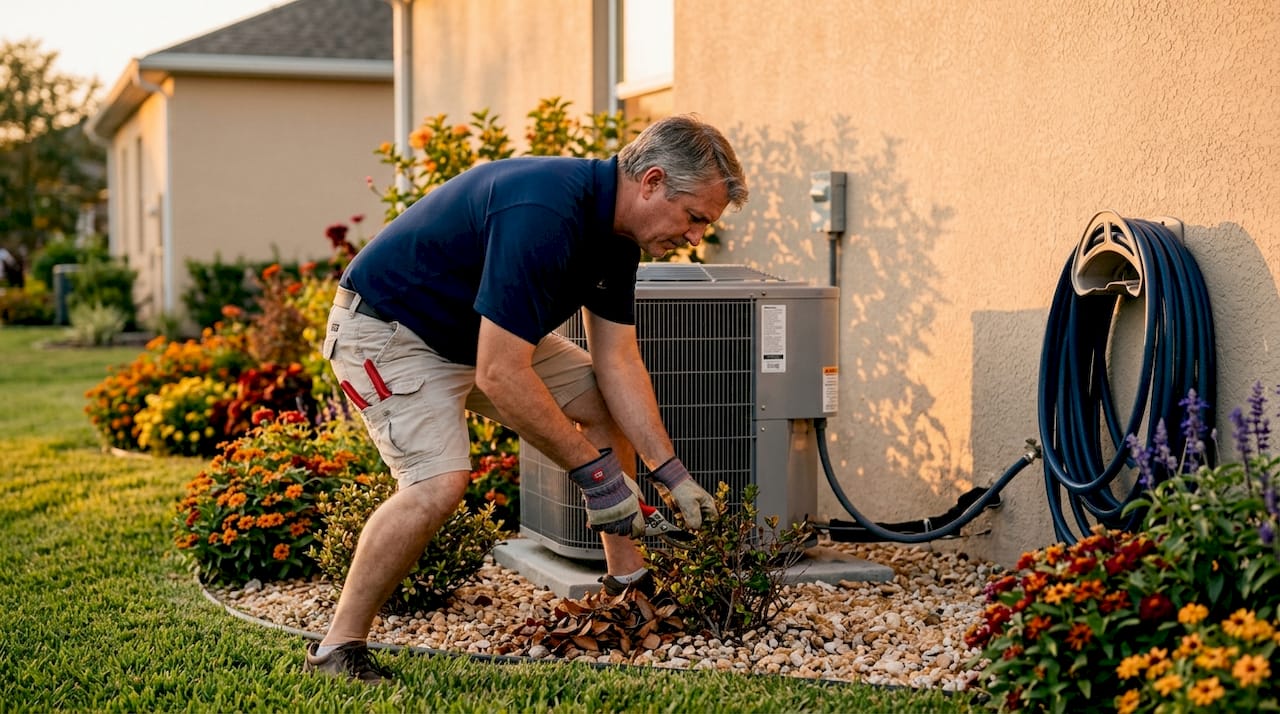
Keep at least 2 feet of clearance on all sides of the condenser. Trim back shrubs seasonally, remove leaves and grass clippings after mowing, and check for debris accumulation after storms. This is one of the easiest seasonal air conditioning care tasks you can do in 10 minutes.
Avoid covering the unit with a tarp or furniture during summer months. The unit needs airflow to function. In winter, a breathable cover designed specifically for condensers is fine, but never restrict airflow when the system is running.
4. Clean condenser coils the right way
Dirty condenser coils are one of the most common causes of reduced AC efficiency, yet most homeowners never think to address them. When coils are coated with dirt and dust, heat transfer suffers and the system has to run longer to achieve the same cooling.
You can clean the coils yourself with a gentle garden hose. The right method: rinse from inside out to push debris away from the coil rather than deeper into the fins. Never use a pressure washer. High pressure bends the aluminum fins, restricts airflow permanently, and can cause damage that requires professional repair.
Do this at the start of cooling season and again mid-summer if you live somewhere with heavy pollen or dusty conditions.
5. Flush the condensate drain line monthly
This is the step that most homeowners skip, and it leads to some of the most avoidable service calls of the year. Your AC removes moisture from the air as it cools. That moisture drains through a condensate line, and over time, algae and mold build up inside it.
Flushing the drain line monthly with one cup of distilled white vinegar keeps algae and mold from forming, prevents clogs, and protects against water backups that can trigger your system’s safety shutoff or cause water damage near your air handler.
Find the access cap on the PVC drain line near your indoor air handler, pour in the vinegar, and let it sit for 30 minutes before running the system. It takes five minutes and costs almost nothing.
Pro Tip: Set a phone reminder on the first of each month to flush the condensate line. Pairing this with filter checks makes both tasks easy to remember and maintain.
6. Use your thermostat settings strategically
Smart thermostat use is one of the highest-return energy saving AC tips available to homeowners. The Department of Energy confirms that raising your thermostat by 7 to 10°F for 8 hours a day when you are away or asleep can reduce annual cooling costs by up to 10%.
A programmable or smart thermostat automates this entirely. You set a schedule once, and the system adjusts without any effort from you. Smart thermostats also learn your preferences over time and can be controlled remotely, which matters when your schedule changes unexpectedly.
One caution: do not turn your AC completely off when you leave. Extreme setbacks cause system strain and can actually negate the energy savings because the system has to work hard to bring temperatures back down. A moderate setback of 7 to 10°F is the right balance.
7. Use ceiling fans to reduce AC workload
Ceiling fans do not lower room temperature, but they make you feel cooler by creating a wind-chill effect on your skin. That means you can raise your thermostat setpoint by up to 4°F without any reduction in comfort, and the energy savings add up noticeably.
Set ceiling fans to spin counterclockwise in summer, which pushes air straight down. Turn fans off when you leave a room. Fans cool people, not spaces, so running them in empty rooms wastes electricity without benefiting anyone.
Portable fans work well in rooms without ceiling fans and can help even out temperature differences between floors, which is a common issue in two-story homes.
8. Manage indoor humidity alongside temperature
Humidity and comfort are inseparable. When your AC is well maintained, it removes moisture effectively as part of the cooling process. When maintenance lapses, dirty coils or clogged drain lines compromise that dehumidification function and leave your home feeling damp and uncomfortable even at the right temperature.
Seal gaps around windows and doors to prevent humid outdoor air from infiltrating your conditioned space. Close blinds and curtains on south and west-facing windows during the hottest part of the day. Limit use of the oven or stovetop during peak heat hours, and run exhaust fans in bathrooms and kitchens to push moisture out.
If your home consistently feels humid despite a functioning AC, the system may be oversized. An oversized AC cools too quickly without running long enough to remove moisture. That is a sign to call a professional for an evaluation.
9. Know when to repair, maintain, or replace your system
Not every AC problem requires a new system. The “$5,000 rule” is a practical framework for the repair-or-replace decision: multiply the age of your unit (in years) by the estimated repair cost. If the result exceeds $5,000, replacement is usually the smarter financial move.
Here is a quick comparison to help guide that decision:
| Situation | Recommended action |
|---|---|
| System under 10 years old, minor repair needed | Repair and schedule annual maintenance |
| System 10 to 15 years old, repair cost over $1,000 | Evaluate upgrade, especially if SEER rating is below 14 |
| System over 15 years old, frequent breakdowns | Replace with high-efficiency unit (SEER2 or EER2 rated) |
| Home feels humid despite running AC | Professional inspection for sizing or coil issues |
| Multi-zone comfort problems | Consider inverter-driven mini-split systems |
Variable-speed and inverter-driven systems are worth serious consideration if you are upgrading. They modulate output based on demand, which means better humidity control, more consistent temperatures, and lower energy consumption compared to older single-speed units. You can learn more about upgrading your HVAC system to understand whether new technology fits your home’s needs.
Regular maintenance can also significantly extend the life of a well-functioning system, often making replacement unnecessary for several additional years.
10. Schedule a professional tune-up every spring
DIY maintenance keeps your system running between visits, but it does not replace a professional eye. Regular AC maintenance can improve system efficiency by 5% to 15%, and the best time to schedule it is early spring before peak cooling season begins.
During a professional tune-up, a technician checks refrigerant levels, inspects electrical connections, tests the thermostat calibration, cleans the evaporator coil, measures airflow, and looks for early signs of wear. These are tasks that require specialized tools and training, and catching issues in March is far better than discovering them in July when temperatures peak.
Annual tune-ups also help prevent the expensive emergency breakdowns that happen when minor problems go unaddressed. A small refrigerant leak found in spring becomes a compressor failure by August without attention.
11. Recognize warning signs before they become failures
Homeowner AC troubleshooting does not require technical expertise. It requires paying attention to what your system is telling you.
Watch for these signs that something is off:
- Ice on the refrigerant lines or coil. This usually means restricted airflow (dirty filter) or low refrigerant.
- Water pooling near the indoor air handler. Often a clogged condensate drain or frozen coil that thawed.
- Weak airflow from vents. Could be a failing blower motor, clogged filter, or duct issue.
- Unusual noises. Banging suggests a loose component. Squealing often points to a worn belt or bearing.
- Clammy indoor air. Points to a maintenance problem affecting dehumidification, not just temperature control.
- Frequent short cycling. The system turning on and off repeatedly often signals an oversized unit or a refrigerant issue.
Do not ignore these signs. A system straining through a problem draws more power, wears components faster, and is likely to fail at the worst possible time. When you notice any of these, call a professional before the problem compounds.
My honest take on where most homeowners go wrong
I’ve seen hundreds of homeowners make the same two mistakes. The first is treating their AC like a set-and-forget appliance. They change filters when they remember, which is not often enough, and they skip annual tune-ups because the system “seems fine.” The problem is that HVAC systems fail gradually. By the time you notice something is wrong, the damage is usually already expensive.
The second mistake is chasing a lower thermostat number instead of addressing the real source of discomfort. If your home feels stuffy at 74°F, the problem is almost never the temperature setting. It is usually humidity, poor airflow, or a maintenance issue. I have watched homeowners run their systems at 68°F all summer, pay enormous bills, and still feel uncomfortable, when a $150 tune-up and a filter change would have solved everything.
What I’ve found actually works is a short monthly routine: check the filter, flush the condensate line, and walk around the condenser. That 15-minute habit, combined with one professional visit each spring, is what separates homeowners who get 18 years out of their system from those replacing it at 10. Small, consistent actions compound over time in ways that no single repair can replicate.
— AB
Keep your AC running at its best with Kcaircontrol
If reading through this list has you thinking your system is overdue for attention, you are probably right. At Kcaircontrol, we have been helping Kansas City homeowners maintain, repair, and upgrade their HVAC systems for over 70 years. Our annual AC tune-up service covers everything your system needs before summer peaks: coil cleaning, refrigerant checks, airflow testing, and a full system inspection. We also offer duct cleaning and energy-efficient system upgrades for homeowners ready to take the next step.

When something goes wrong unexpectedly, our emergency HVAC repair team responds fast to get your home comfortable again. Schedule your spring tune-up now before the summer rush, and let us make sure your system is ready to perform all season long.
FAQ
What temperature should I set my AC to in summer?
The Department of Energy recommends 78°F when you are home. Raising it 7 to 10°F when you are away can cut your annual cooling costs by up to 10%.
How often should I change my AC filter?
Change your filter every 30 days if you have pets or allergies, or every 60 to 90 days for a typical household. A clogged filter is one of the most common causes of reduced efficiency and comfort.
Why does my house feel humid even with the AC running?
Humidity problems while the AC is running usually point to a maintenance issue. Dirty evaporator coils or a clogged condensate drain line both reduce your system’s ability to remove moisture from the air.
When should I replace my AC instead of repairing it?
Use the $5,000 rule: multiply your unit’s age in years by the repair cost. If the result exceeds $5,000, or your system is over 15 years old with frequent problems, replacement is likely the better investment.
How often should I schedule professional AC maintenance?
Once a year, ideally in early spring before cooling season begins. Regular professional maintenance can improve your system’s efficiency by 5% to 15% and prevents costly emergency breakdowns during peak summer heat.